Kinemaster Tutorial Music Audio Effects for Beginners
Kinemaster is one of the most popular mobile video editing apps available for both Android and iOS devices. It has become the go-to app for YouTubers, TikTokers, Instagram creators, and beginners who want to create professional-quality videos using just their smartphones. One of the most powerful features in Kinemaster is the ability to add music and audio effects. Proper use of audio can significantly enhance a video, making it more engaging, entertaining, and professional. This tutorial is designed specifically for beginners to help you understand how to use music and audio effects effectively in Kinemaster.
Why Music and Audio Effects are Important
Adding music and audio effects to your videos is more than just making them sound nice. Music helps set the mood and tone of your content, whether it’s cheerful, dramatic, or suspenseful. Audio effects help highlight key moments, transitions, or actions, making your videos more engaging. For content creators, sound is crucial because it keeps viewers interested, increases watch time, and creates a more professional impression. Without proper audio, even high-quality visuals may fail to capture attention. Learning how to use Kinemaster audio effects properly allows beginners to create content that feels polished and dynamic.
Getting Started with Kinemaster
To begin editing in Kinemaster, first download and install the app from Google Play Store or the App Store. Once installed, open the app and create a new project by selecting the desired aspect ratio, such as 16:9 for YouTube videos or 9:16 for TikTok and Instagram Reels. Import your video clips into the timeline. Make sure your clips are organized and trimmed to your liking before adding audio.
How to Add Music in Kinemaster
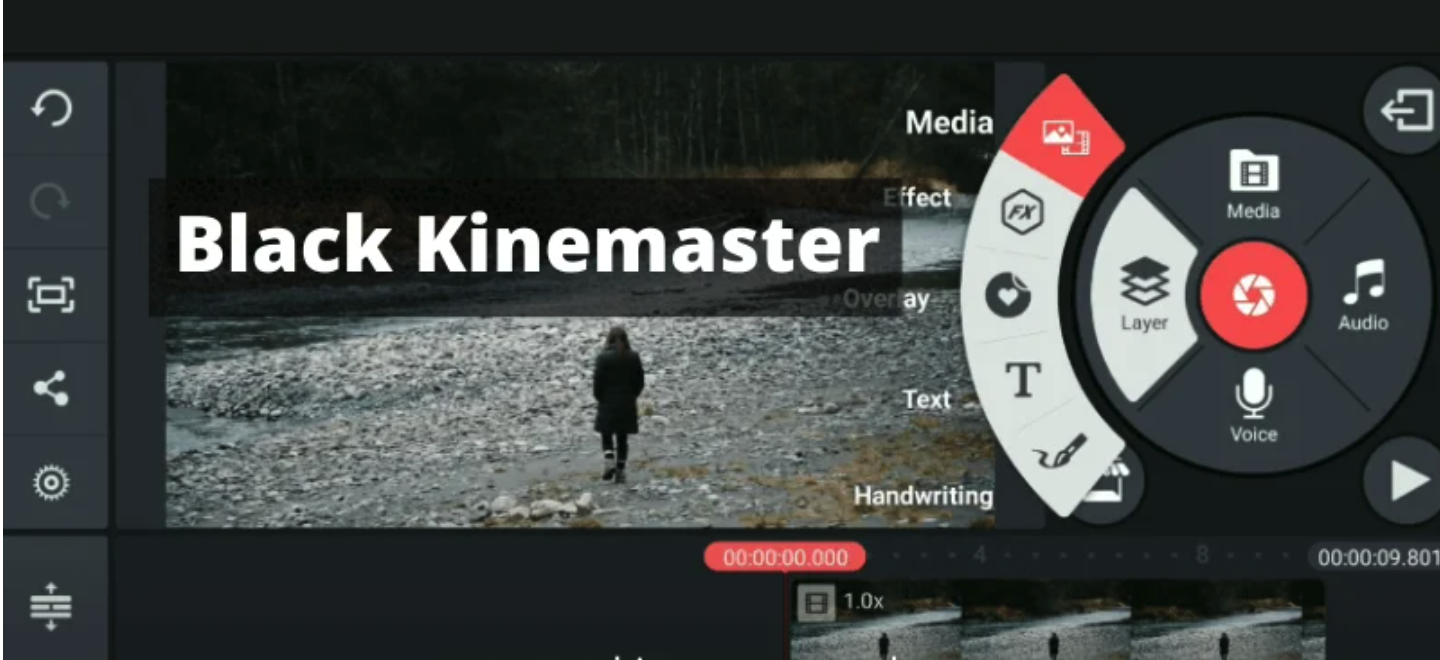
Adding music in Kinemaster Apk is a simple process that can instantly make your videos more engaging and professional. To start, open your project and tap on the “Audio” option in the toolbar. You can choose music from Kinemaster’s built-in library, import tracks from your device, or use royalty-free music. Once you select the track, tap “Add” to place it on your timeline. After adding the music, you can trim, split, or loop it to match the video length perfectly. Additionally, Kinemaster allows you to adjust volume levels, add fade-in and fade-out effects, and control the audio timing so that it complements voiceovers and other sound elements. By carefully selecting and editing your music, you can enhance the mood, energy, and overall impact of your videos, even as a beginner.
Conclusion
Kinemaster Apk Download is a versatile and powerful mobile video editor, perfect for beginners and professional creators alike. Learning how to add music and audio effects is essential to create professional, engaging, and polished videos. With step-by-step guidance on adding background music, applying audio effects, and adjusting audio settings, even beginners can produce high-quality content. By following the tips in this guide, you can ensure your videos sound as good as they look, making them more entertaining and memorable for your audience.